
Everything a coaching practice runs on, in one place.
Programmes, sessions, nutrition, progress and chat, shared between the trainer’s web portal and the client’s phone. This page lists what is live now, nothing that is planned.
Run your practice
Run the practice without the spreadsheet.
Plan the week in the portal, coach from your phone, and see what every client actually did.
Build the programme once, assign it in a step
Programmes are built in the web portal from a shared exercise library: weeks, days, exercises, sets, reps or rep ranges and rest. Assign one to a client and it becomes their current programme in the app.
- Templates you reuse. Save a programme as a template and assign it to the next client without rebuilding it. Clients can also browse programme templates in the app.
- One current programme. Assigning a new programme supersedes the old one, so a client always sees exactly what you want them doing this week.
- Exercise library. A shared library of exercises to build from. Add your own, with a demonstration video, alongside the standard set.
- See what they logged. Every set a client records against your programme is there for you to read, from the client view in the portal or on your phone.
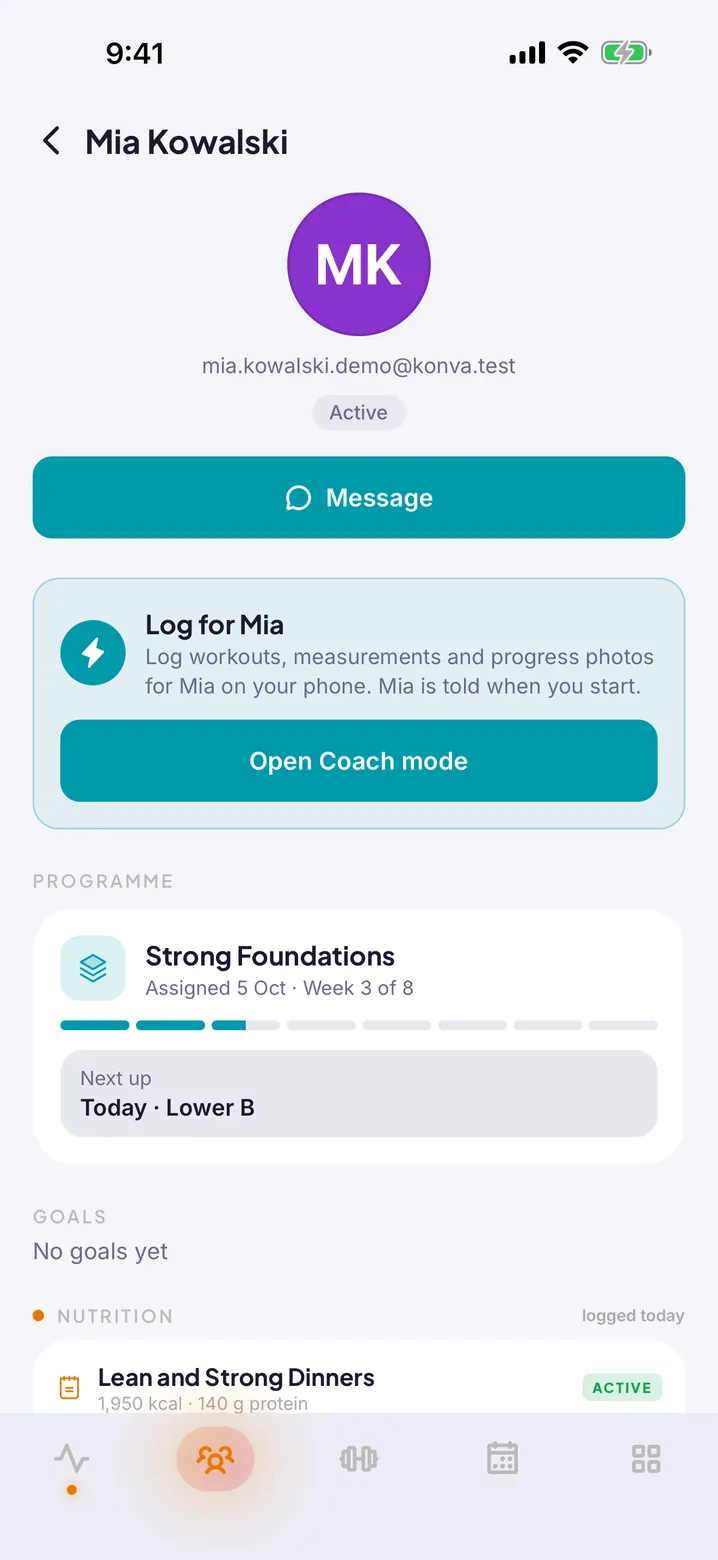
One-on-one and group sessions, booked by the client
Set your availability, publish one-on-one and group sessions, including recurring ones, and let clients book from their phone. Reminders and calendar entries take care of themselves.
- Availability. Define when you take one-on-one bookings. Clients see the open slots and book into them.
- Group and recurring. Run a weekly group session with a capacity, or a standing one-on-one slot, without re-creating it every week.
- Reminders and calendars. Clients get a reminder before each session, and can add their Konva sessions to their phone calendar.
- A workout on every session. Attach what the session will cover, from the client’s plan, a template or a freestyle workout, and start it straight from the session.
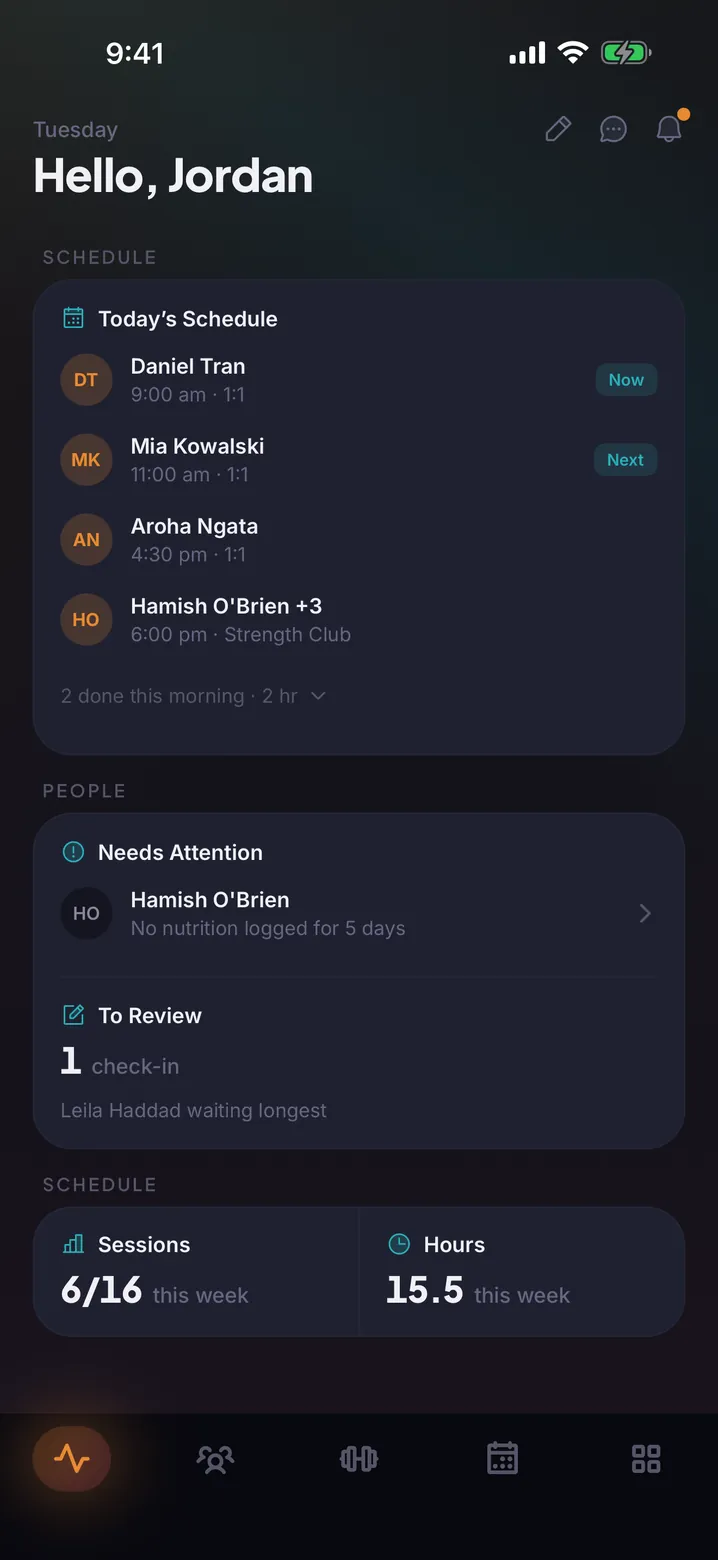
Your day, on a screen big enough to run it
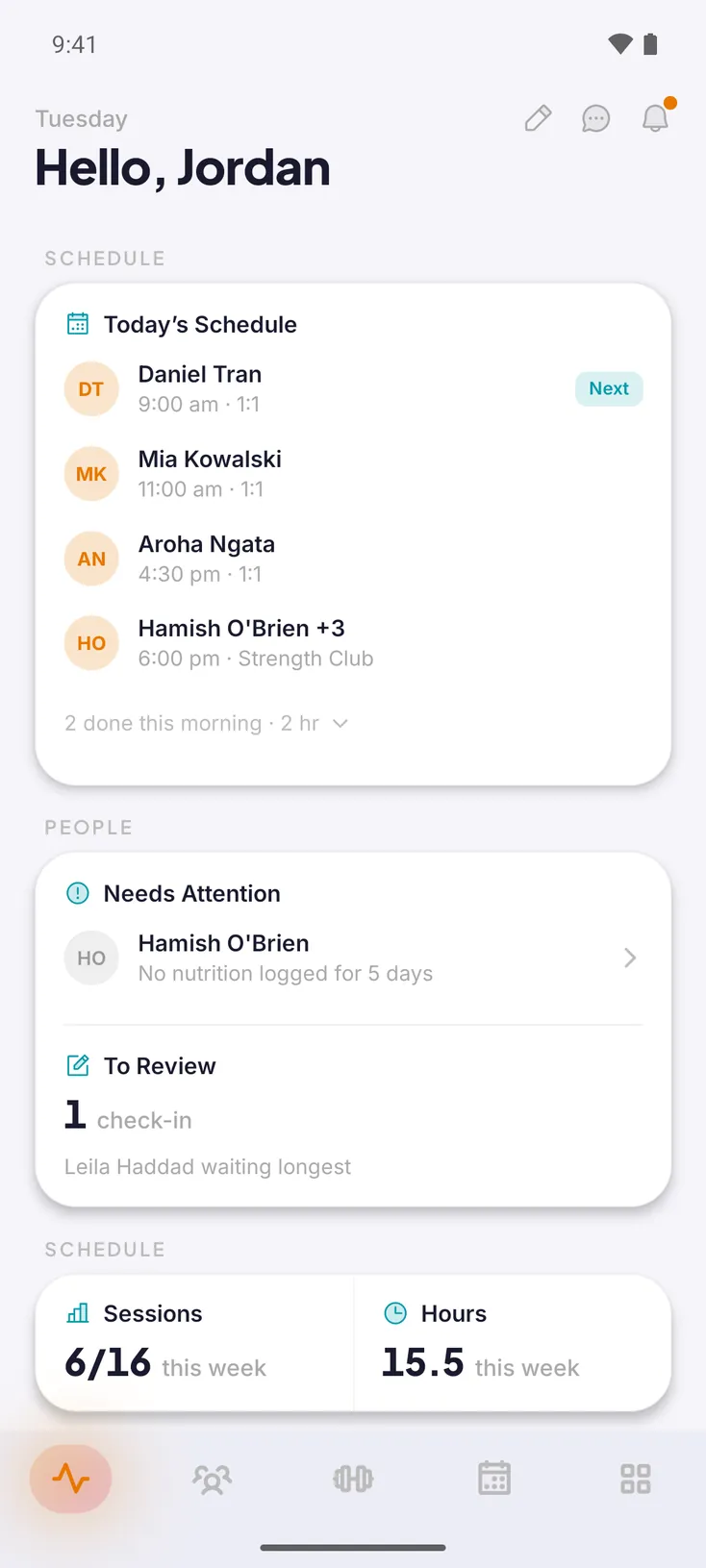
The trainer web portal is where the week gets planned: an agenda of every session, the client list, programme builder, exercise library, check-in forms, community channels and settings.
- Agenda. Every session in one view. Create, reschedule or cancel, and open the booking list for any session.
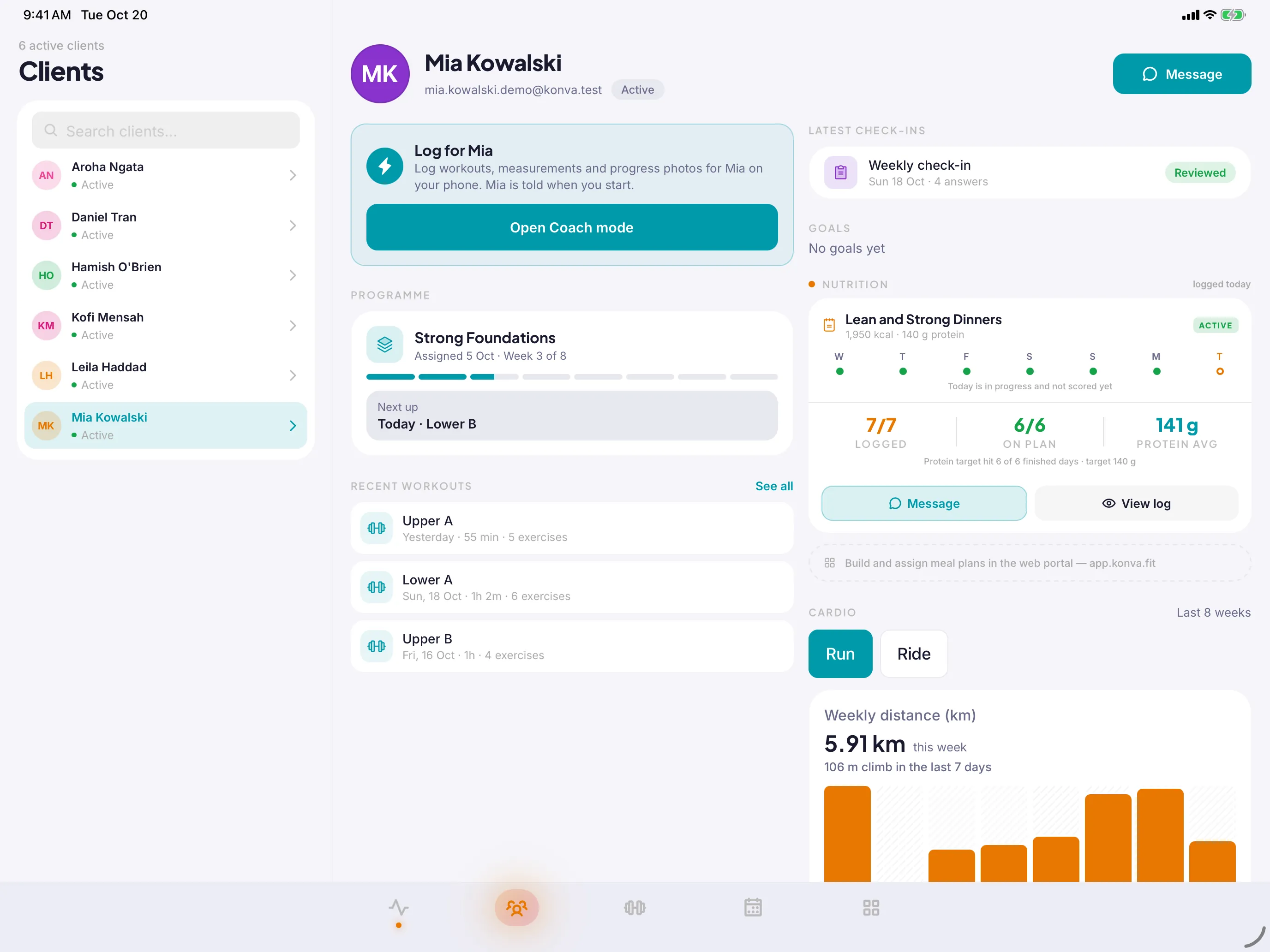
- Client view. Open a client to see their programme, workout history, progress, nutrition and check-in responses in one place.
- Also on your phone. Bookings, availability, check-ins and chat are in the mobile app too, for when you are on the gym floor.
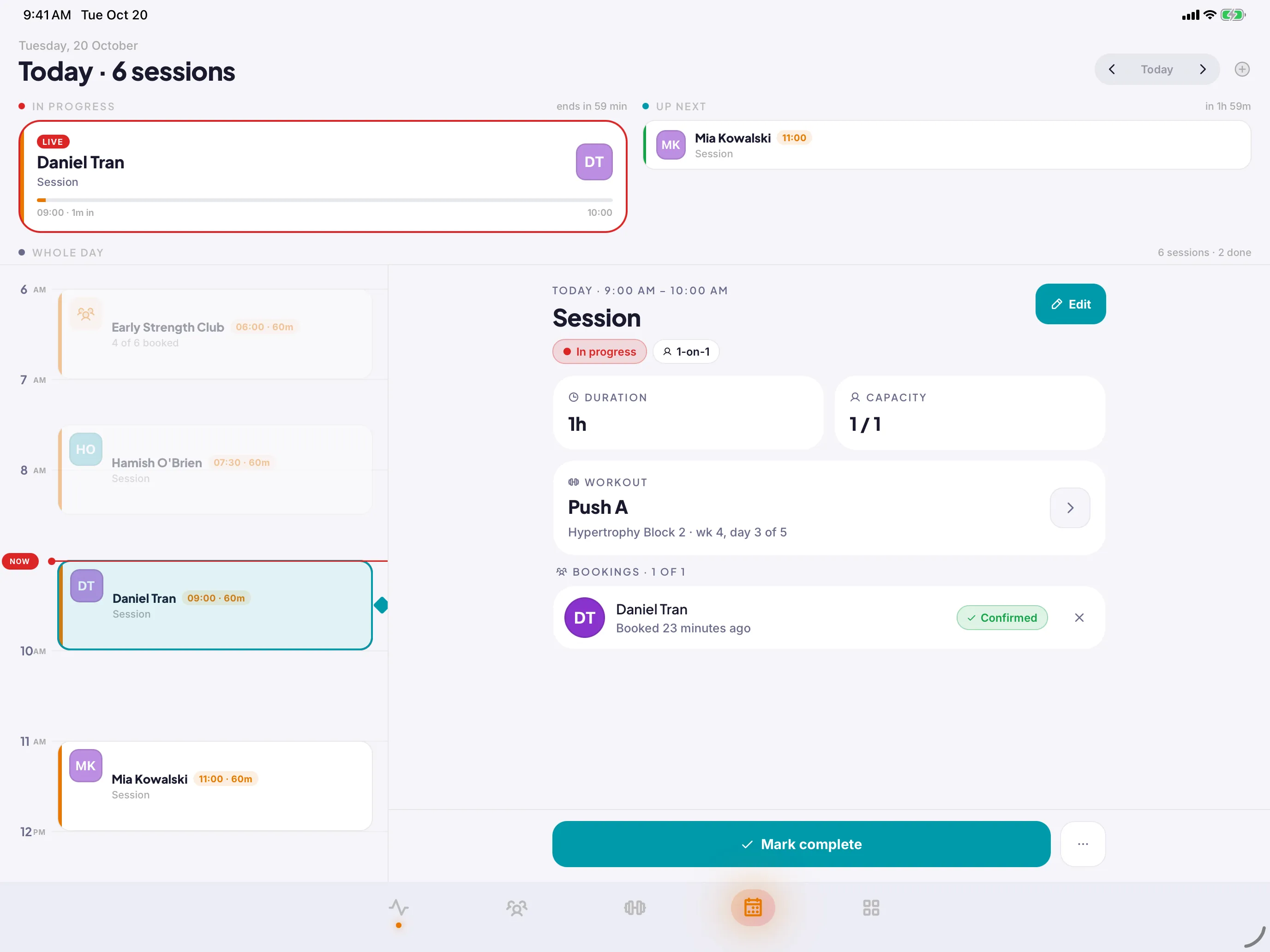
Coach mode for the gym floor
Log a client's session on your phone or iPad while you coach. It still counts for them.
- Your client is told when you start logging for them.
- Every set with a number in it is saved as done.
- PRs and streaks go to the client, in their history.
Ask the questions that matter, on a schedule
Build check-in forms with your own questions, including free text, and assign them to clients. Responses land in the client view, so the conversation at the next session starts informed.
- Your questions. Sleep, soreness, adherence, how the week felt. Write the form the way you would ask it in person.
- Treated as sensitive. A free-text answer can contain anything, so every response is handled as sensitive information, per our Privacy Policy.
Bring clients on with a link or a code
Invite a client with a link or a six-digit code and they land in your organisation with their programme, bookings and chat ready. One account can belong to more than one organisation.
- Invite link or code. Send a link, or read out a code. Either way the client is in your practice a minute later.
- Trainers also train. Your own workouts, nutrition and progress live in the same account. You can be a client of one coach and the coach of many.
- Members and roles. Trainers and organisation admins see the management tools. Clients see their training.
The whole plan, in your pocket.
Your trainer sets it up. You open the app and it is all there: today’s workout, what to eat, when you are booked in, and who to ask.
Today’s workout, ready when you open the app
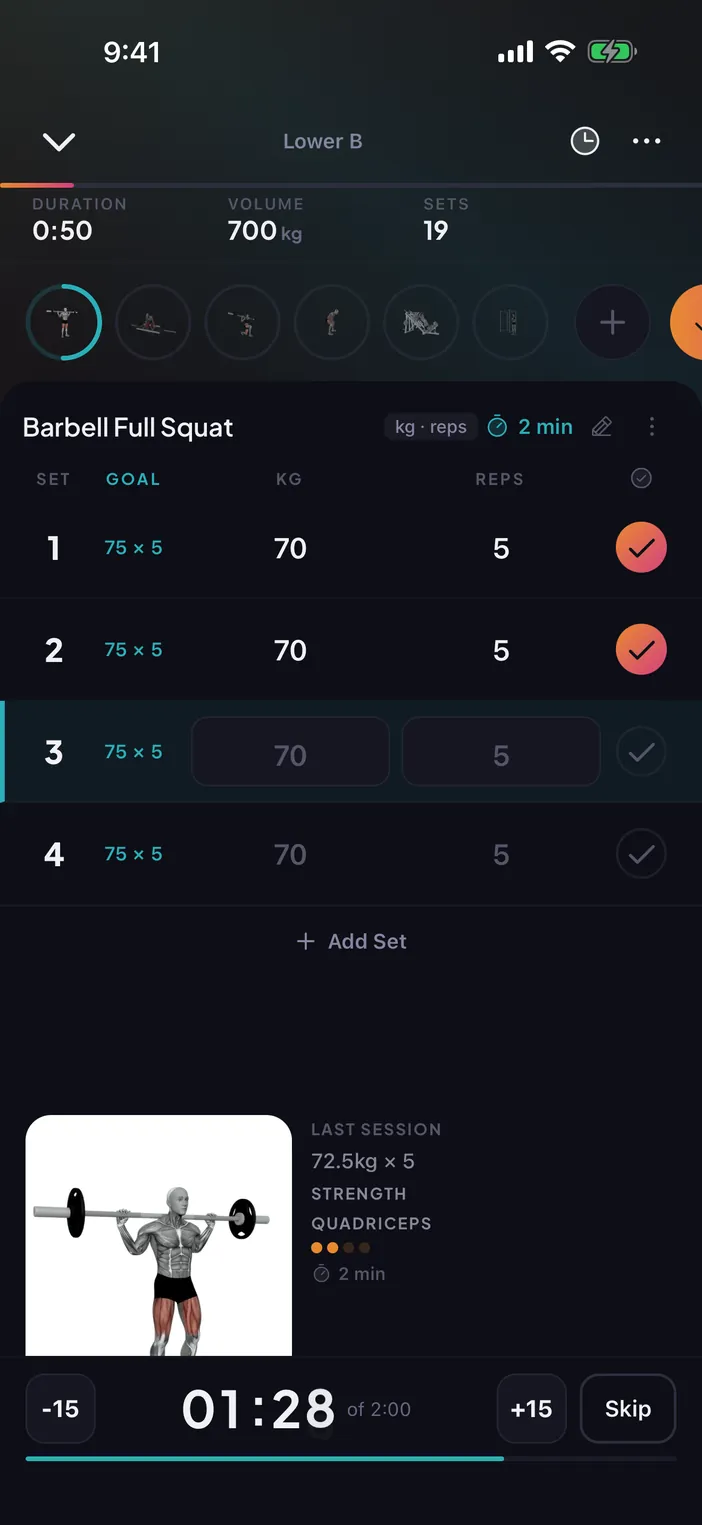
The programme your trainer assigned shows up as today’s workout. Start it, log every set, rest between them and finish with a summary.
- Set-by-set logging. Weight, reps and completion for each set, with your previous numbers alongside so you know what to beat.
- Rest timer that stays visible. The rest timer keeps running when you lock your phone. On iOS it appears as a Live Activity on the Lock Screen.
- Personal records. A new best is recorded automatically and shows up in your progress.
- Your own sessions too. Not on a programme this week? Start a freestyle workout from the exercise library or a template.
Log food in seconds, see the week in one recap
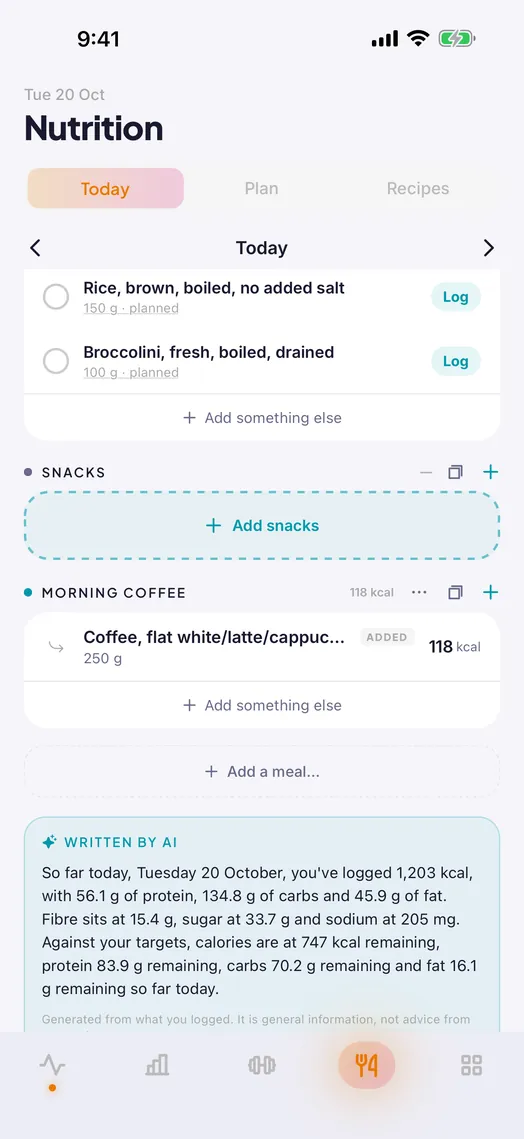
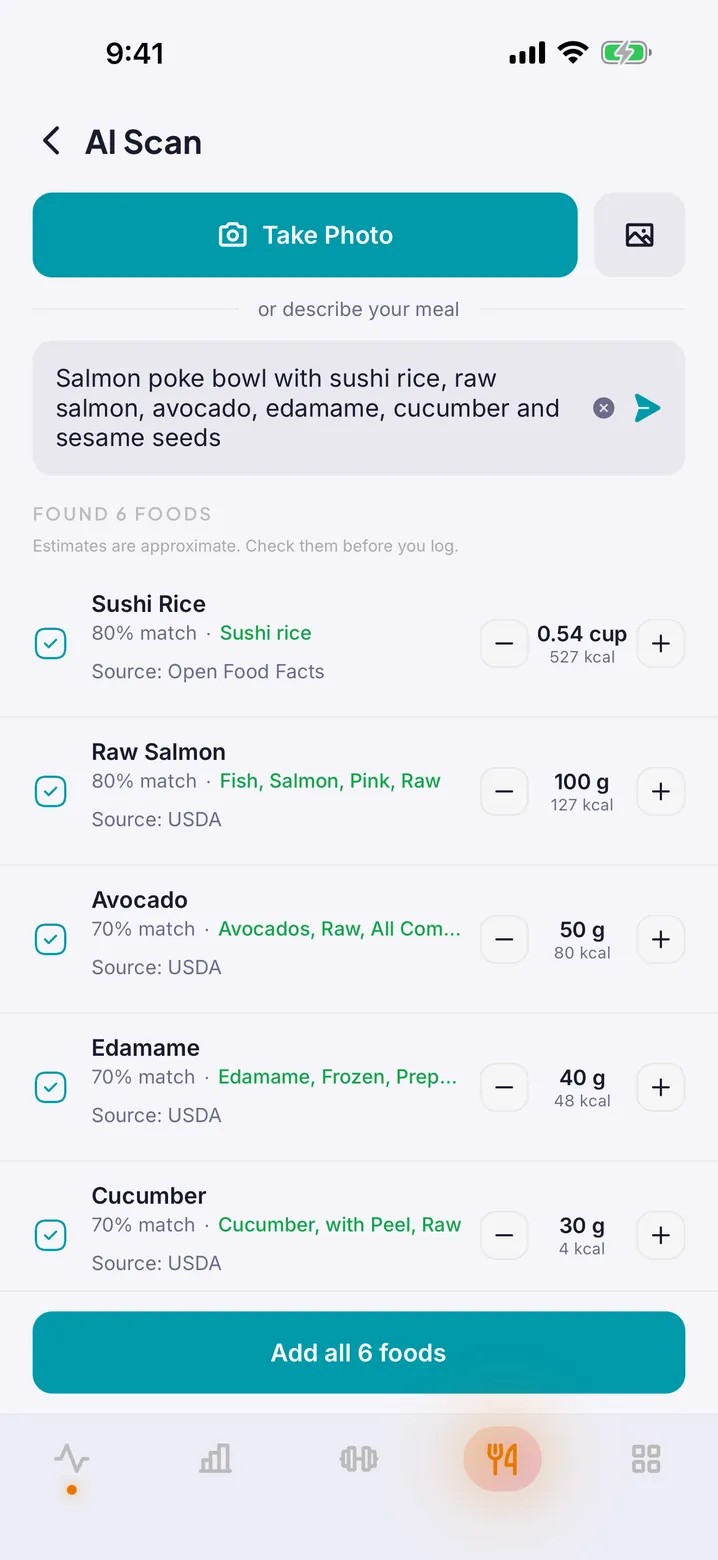
Log what you eat against meals and daily targets, track water, and let AI Scan turn a photo or a description of a meal into an entry. A weekly recap summarises how the week went.
- Food, meals and targets. Search foods, build meals, set calorie and macro targets, and see where the day stands at a glance.
- AI Scan. Photograph a plate or describe a meal and get a suggested entry to confirm. Results are labelled as AI-generated estimates.
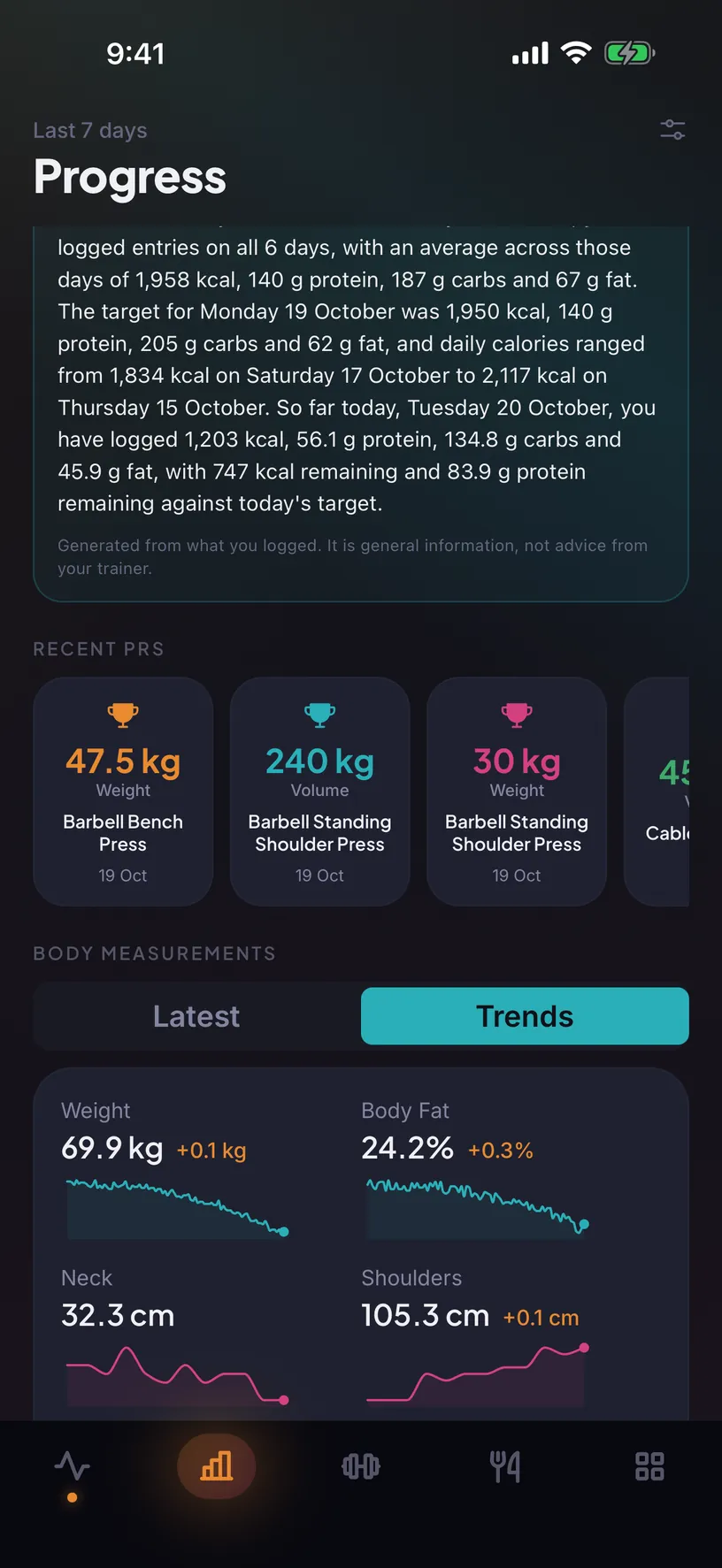
- Weekly recap. A short summary of the week’s nutrition, generated for you and visible to your trainer.
Your entries are not training data. AI Scan and the recap use Claude, by Anthropic, which receives only what the feature needs and may not use it to train its models.
The long view: photos, measurements and records
Progress photos with notes, body measurements, weight and body fat, and every personal record, in one place you and your trainer can both see.
- Progress photos. Private to you and your trainer, with a note on each. Deleted from storage, not just the database, if you delete your account.
- Measurements. Weight, body fat and body measurements over time, charted.
- Records and history. Every workout you have logged and the personal bests that came out of them.
Book, get reminded, know what’s planned
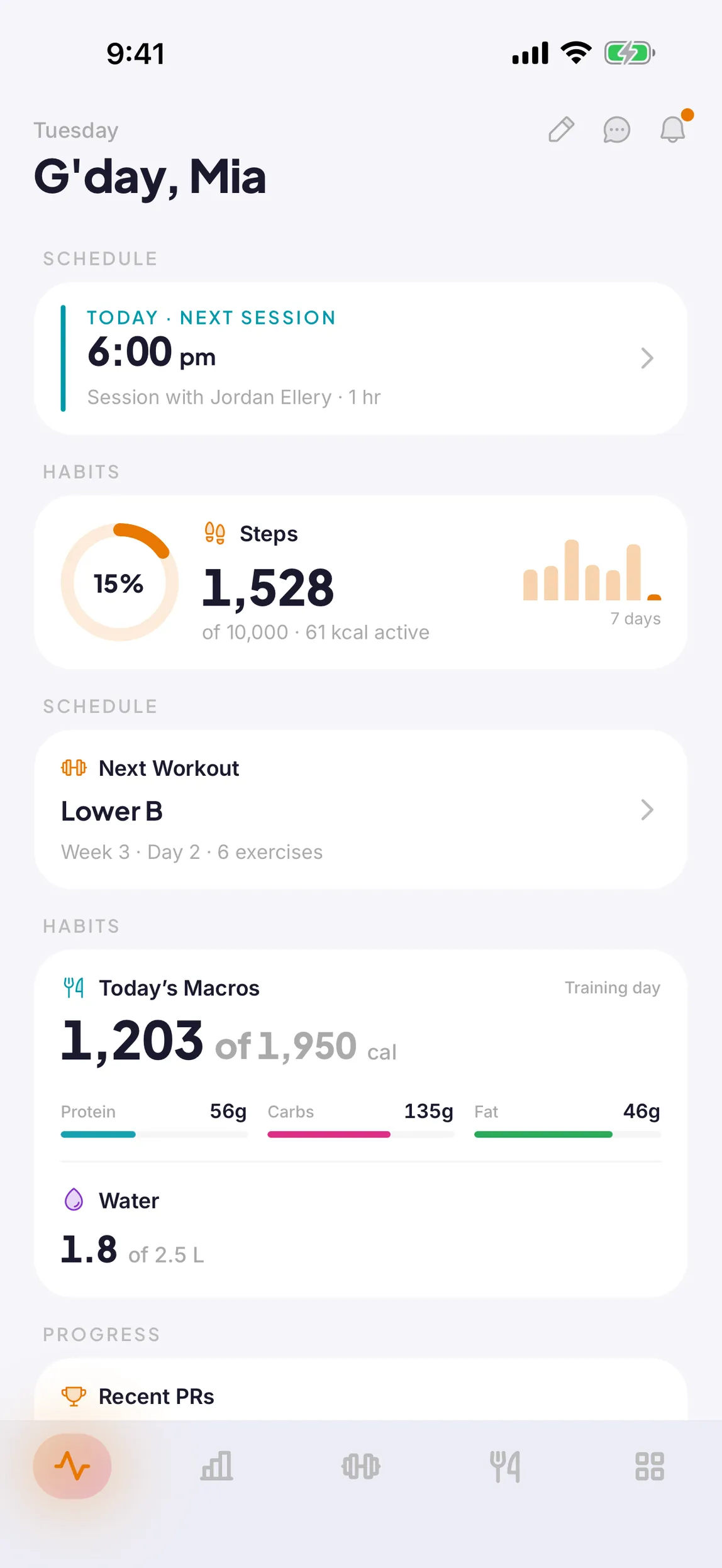
See your trainer’s availability and group sessions, book from your phone, and see what each upcoming session will cover before you walk in.
- Book in a tap. Open slots and group sessions with places left, booked without a message back and forth.
- Reminders. A push notification before each session, if you have notifications on.
- Phone calendar. Turn on calendar sync in Settings and your Konva sessions appear in the calendar you already use.
A place to talk that you actually moderate
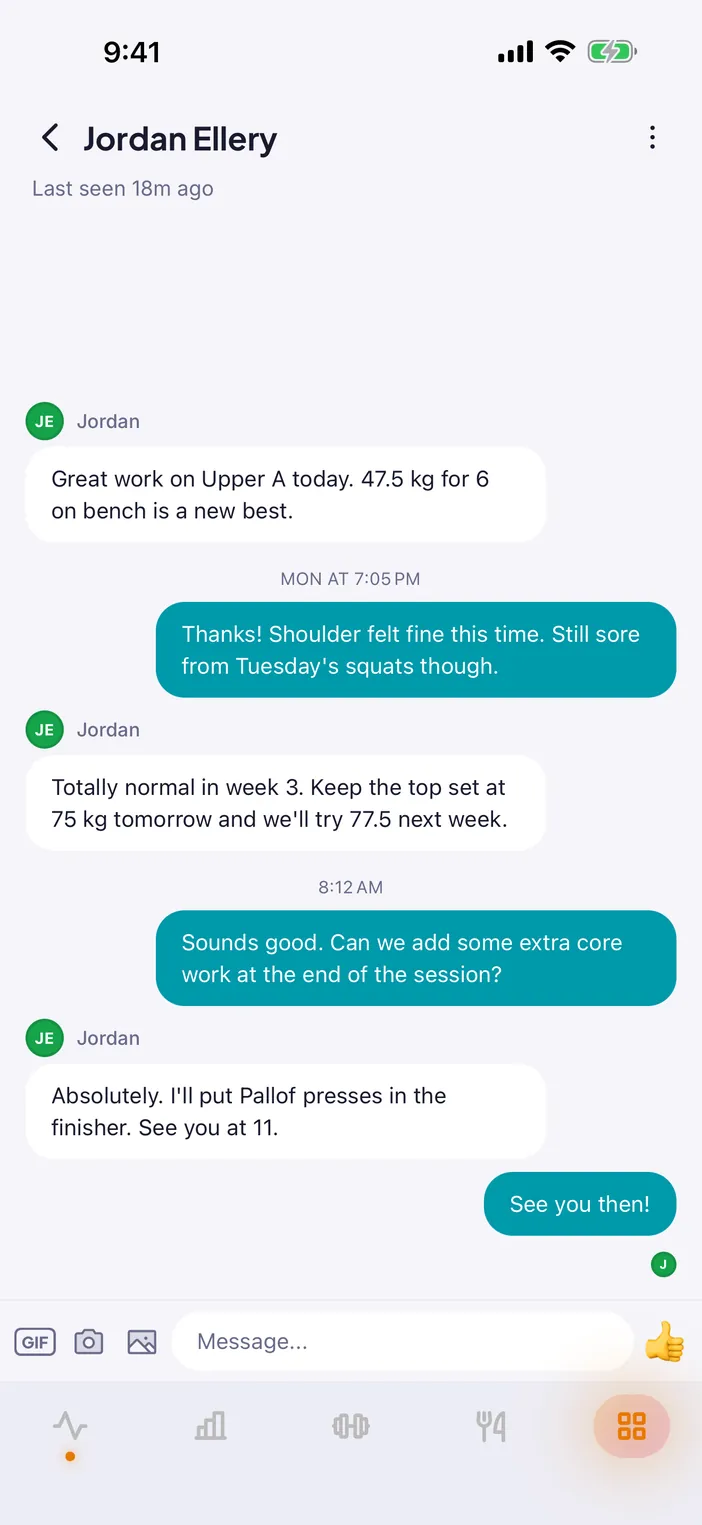
Direct chat between trainer and client, plus community channels for everyone in the gym or practice, with images, replies and read state. Moderation tools are built in rather than bolted on.
- Direct and channel chat. Questions between sessions, a photo of the form check, a quick “done”. Or post to a channel every member of the practice can see. Real-time, with push notifications when you want them.
- Filtering and reporting. Objectionable terms are filtered server-side. Any message or member can be reported, with child safety among the reasons.
- Block, remove, delete. Anyone can block a member from the message itself. Admins can delete messages and remove members from the organisation.
Your watch already knows. Now your trainer can too.
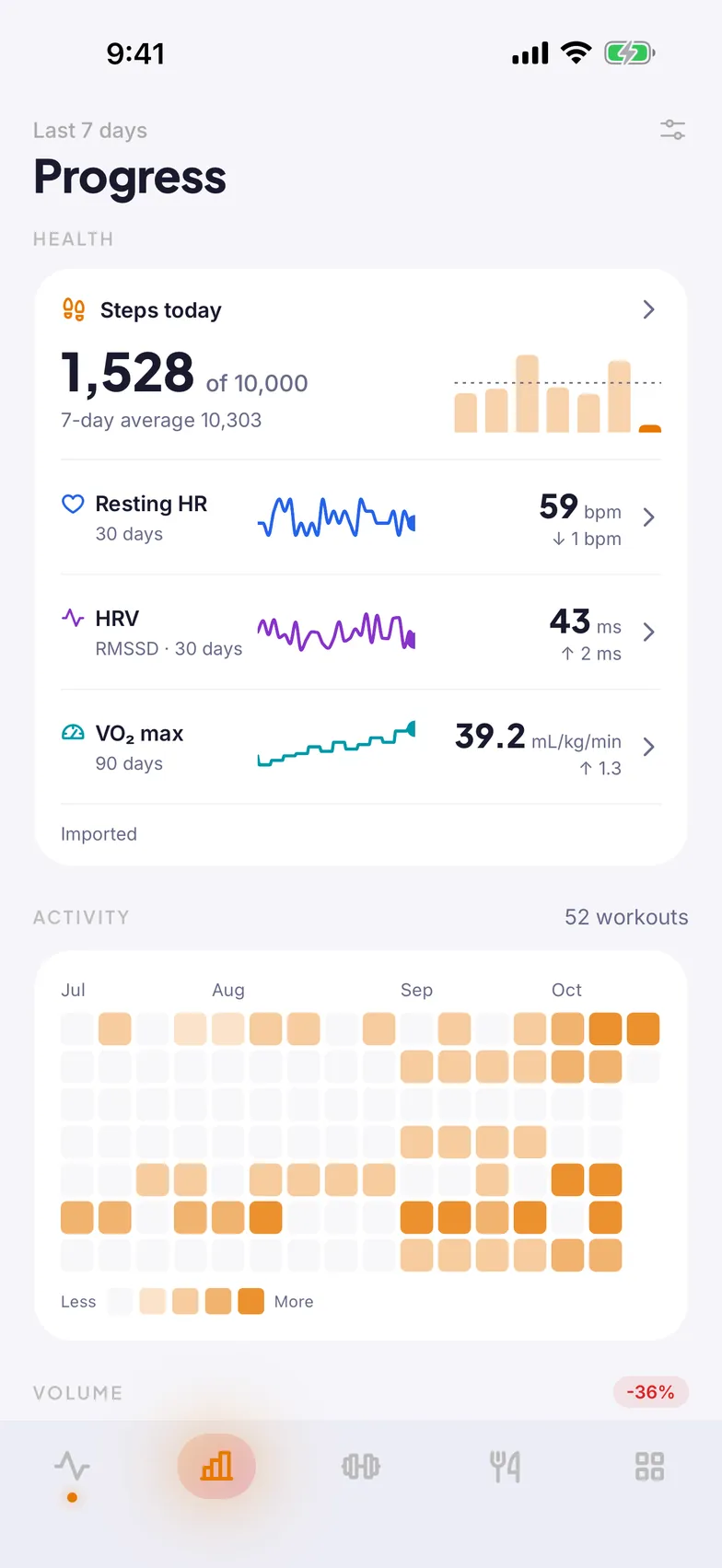
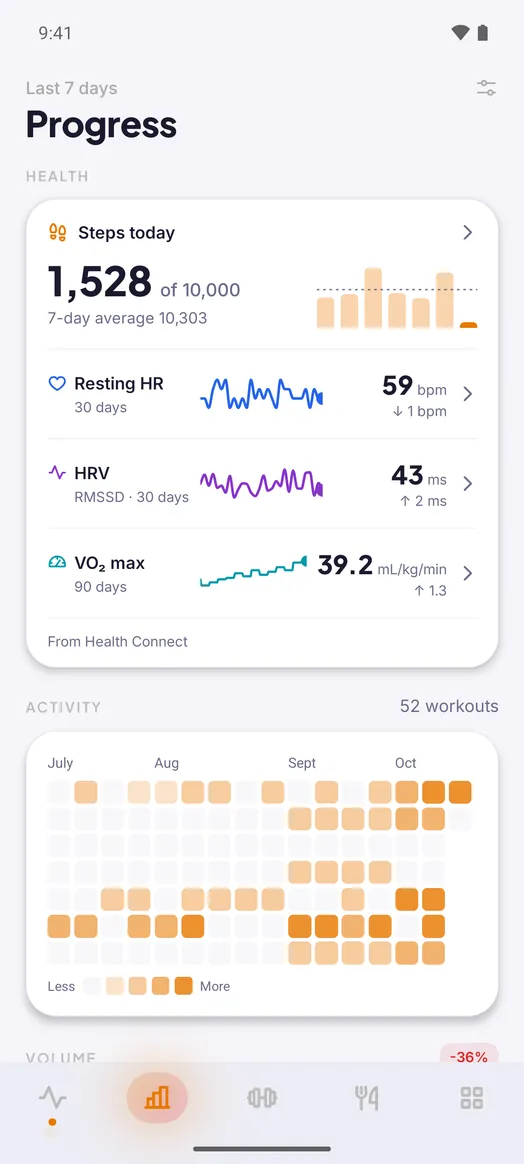
Optionally connect Apple Health or Health Connect. Workouts, steps, active energy and heart rate are read in, so your trainer sees the whole week, not just the sessions with them.
-
Read what you choose
Workouts and daily activity are separate permissions. Turn on either, both or neither.
-
Write back
Finished Konva workouts, food, water and weight can be written to your health app, each behind its own switch.
-
Disconnect deletes
Turn it off and the records we synced are deleted. Health data is never used for advertising.
Health data is sensitive.
We treat it that way.
Under the Australian Privacy Principles, health information is sensitive information. These are the choices that follow from taking that seriously.
For adults and older teens
Konva is for people aged 16 and over. Date of birth is checked at sign-up and only the year is kept.
AI under contract
AI Scan and the weekly recap use Claude, by Anthropic, under contract and only on our behalf. Nothing you submit is used to train a model.
No ad SDKs, no tracking
There is nothing in the app that follows you around the internet, and health data is never used for advertising.
Delete your account in-app
Settings, Account, Delete. Your data is removed straight away, and the details are published on this site.
The full detail is in the Privacy Policy and on the account deletion page.
Set up your practice in an afternoon.
Create your organisation in the web portal, build your first programme, and invite a client.